Account Deletion
At EV Smart Cab, we respect your privacy and give you full control over your data. You can request to delete your account at any time directly from within the app.
How to Delete Your Account
Follow the steps below to delete your account from the EV Smart Cab app:
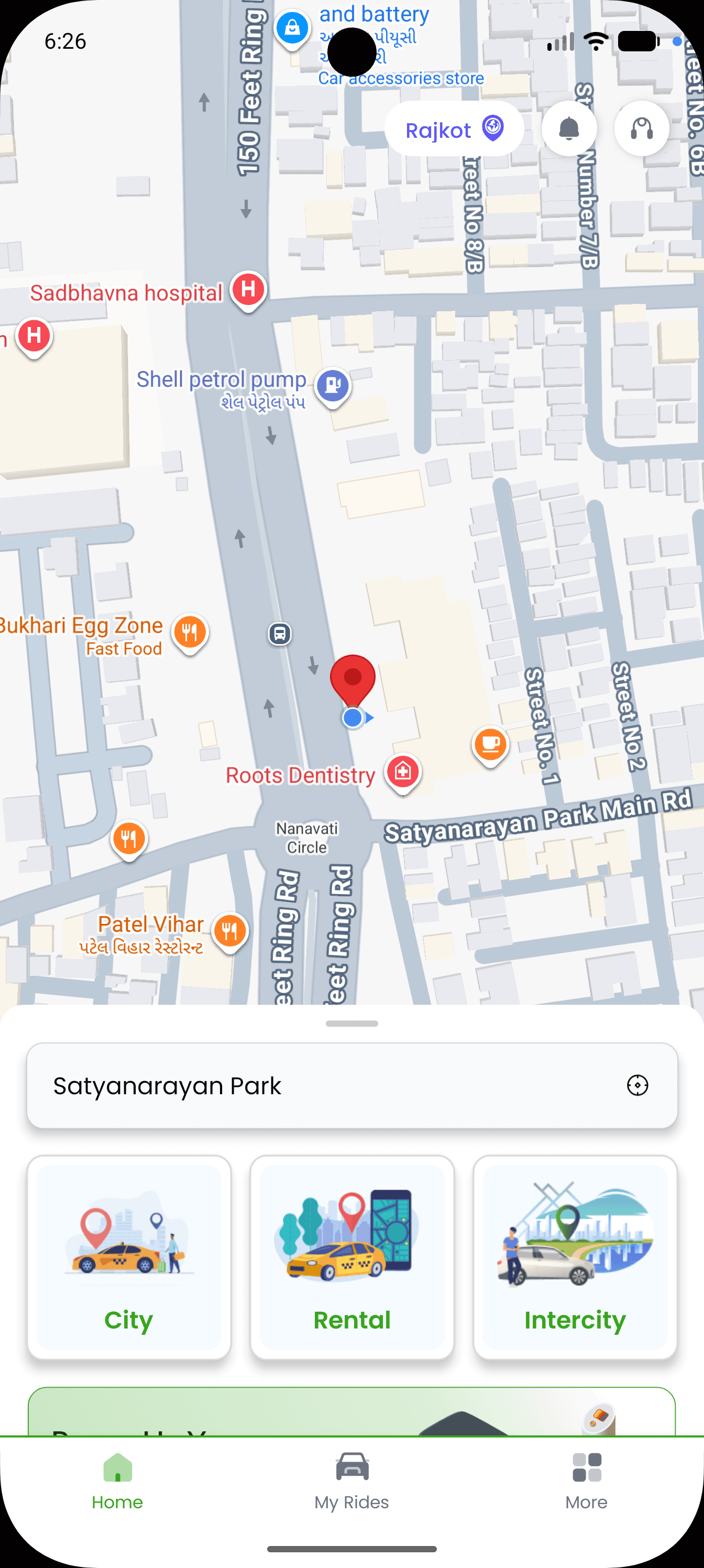
Step 1: Open More Section
Open the app and tap on the "More" option from the bottom menu.
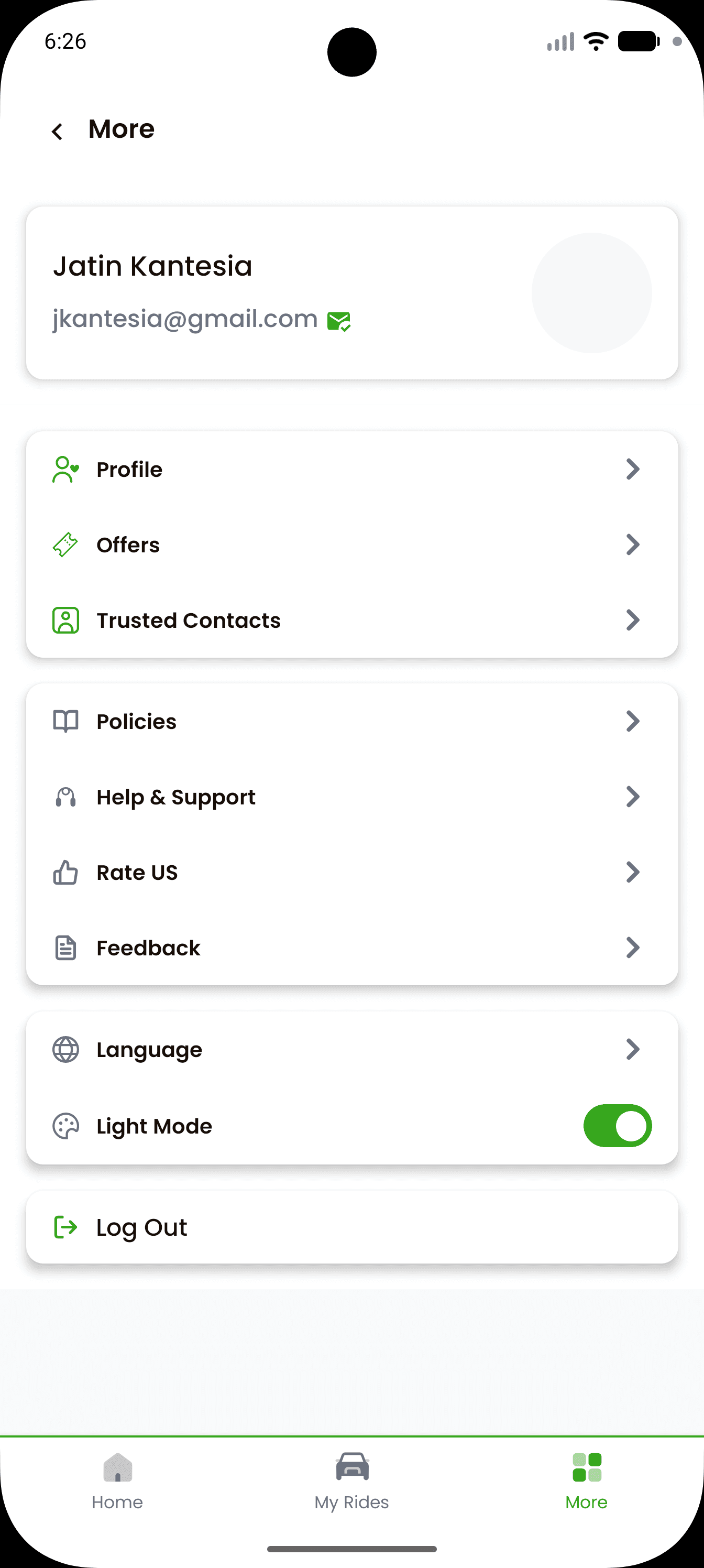
Step 2: Go to Profile
Tap on "Profile" to open your account details.
Step 3: Edit Profile
Click on "Edit Profile".
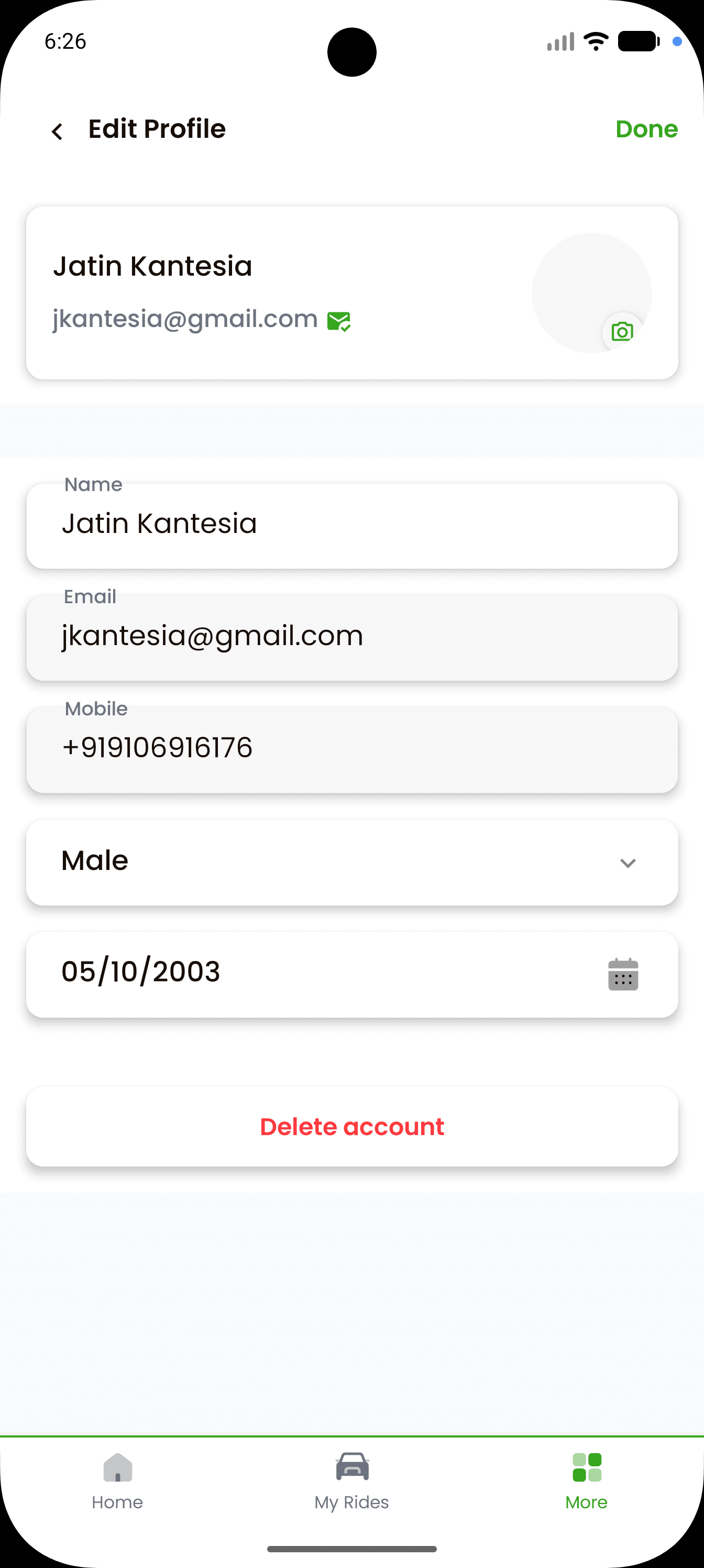
Step 4: Delete Account
Scroll down and tap on "Delete Account".
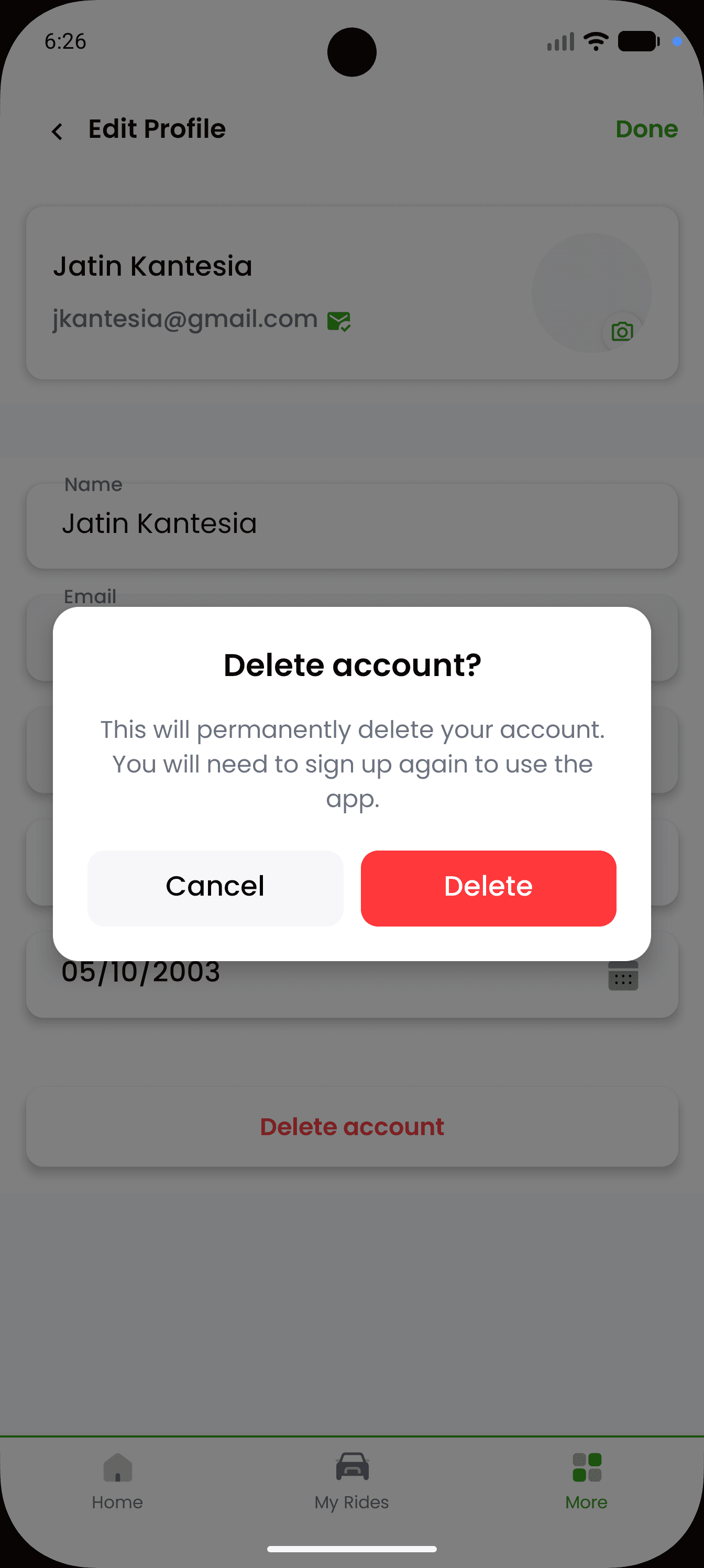
Step 5: Confirm Deletion
Confirm the deletion request in the popup dialog.
Important: Once you confirm, your account will be deactivated immediately.
What Data Will Be Deleted
When you request account deletion, the following personal data will be removed:
- Name
- Email address
- Phone number
- Date of Birth
- Saved preferences
Data Retention Policy
Some data will be retained for a limited period of 180 days for legal, fraud prevention, and regulatory compliance purposes. This includes:
- Ride history
- Payment records
- Location data related to rides
After 180 days, all retained data is permanently deleted from our systems.
Need Help?
If you are unable to delete your account from the app, you can contact us:
Email: contact@evsmartcab.com
Phone: +91 8700046916
Website: https://evsmartcab.com
Important Notes
- Account deletion is irreversible.
- You will need to register again if you wish to use the app in the future.
- Deletion removes access to all services and history.
Last updated: January 2026